Book Your Session! International Clients Welcome!
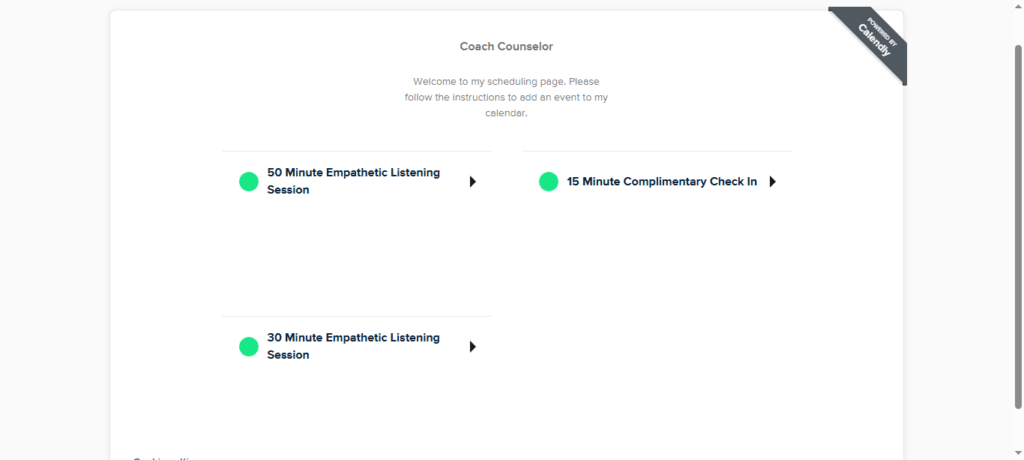
Step 1: To book your first session, scroll down to the Calendly scheduling page at the bottom of this page. Click on the 30-minute or 50-minute session of your choice. The 15-minute check-ins are for established package clients.
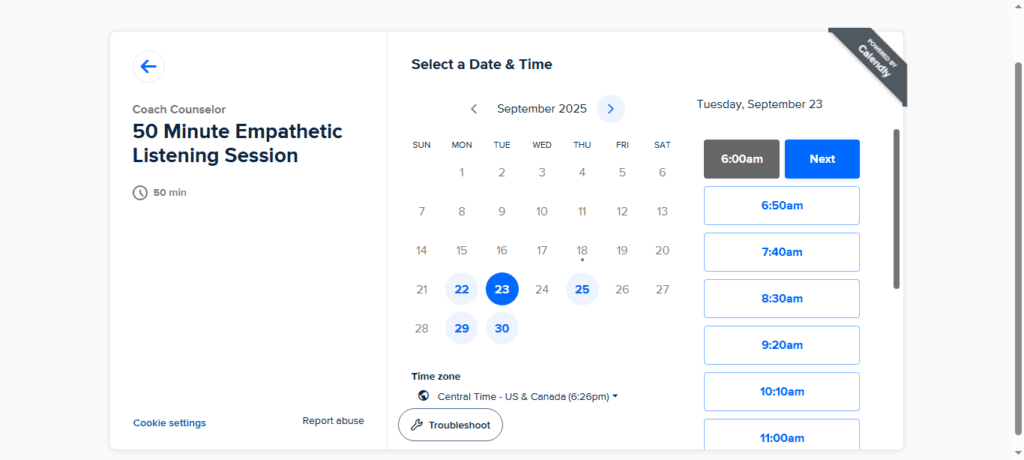
Step 2: After clicking on your session, you will be presented with the calendar. The calender should show appointments in your local date and time settings. The highlighted dates with circles around them have sessions available for booking. Click on one of the dates that works best for you. Then in the column on the right hand side of the page, click on the best time for you. After that, click next.
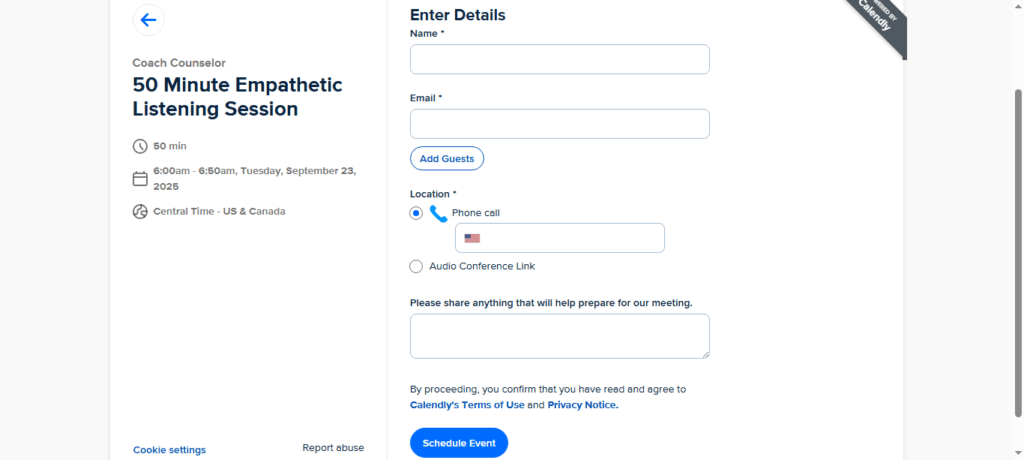
Step 3: Fill in your first and last name on the details page. If you are outside the US or Canada, you must choose the Audio Conference Link option to have your audio session online.
If you are in the US or Canada, you may choose to either receive a phone call for your session or select the Audio Conference Link to have your session online. If you would like a call, you must leave your full phone number with its country and area code.
In the notes section please briefly describe what you would like to discuss during the session and click the schedule event button when you are finished.
Step 5: Once your appointment has been scheduled, please review our service agreement. Then complete our investment and checkout form for billing purposes.